
Ever found yourself scratching your head while trying to locate the elusive ICCID on your iPhone? You’re not alone. Many users embark on this quest, only to realize that finding this tiny string of numbers is like searching for a needle in a haystack. But fear not! This article is here to guide you through the labyrinth of settings and menus to unveil the mystery of the ICCID.
Understanding ICCID
ICCID stands for Integrated Circuit Card Identifier. It’s a unique number assigned to SIM cards, serving as an identifier for each mobile network subscriber. This identifier plays a critical role in your device’s communication with networks.
Finding the ICCID on an iPhone involves a straightforward process. Navigate to the Settings app, then tap General. Next, select About. Within this screen, scroll down to locate the ICCID listed among other essential details.
The ICCID contains up to 19 digits and is crucial for tasks such as activating new devices or transferring service plans. Each mobile carrier uses this number to ensure accurate identification of subscriber data.
Additional steps might be necessary for certain iPhone models. If the SIM card is not inserted, the ICCID won’t appear in the settings. Users may need to consult the original SIM card packaging if it’s not visible in the devices.
Understanding this number simplifies several processes, making it easier for users to manage their mobile services. It’s essential that iPhone users recognize the significance of the ICCID, especially when troubleshooting carrier-related issues or switching phones.
Locating ICCID on iPhone
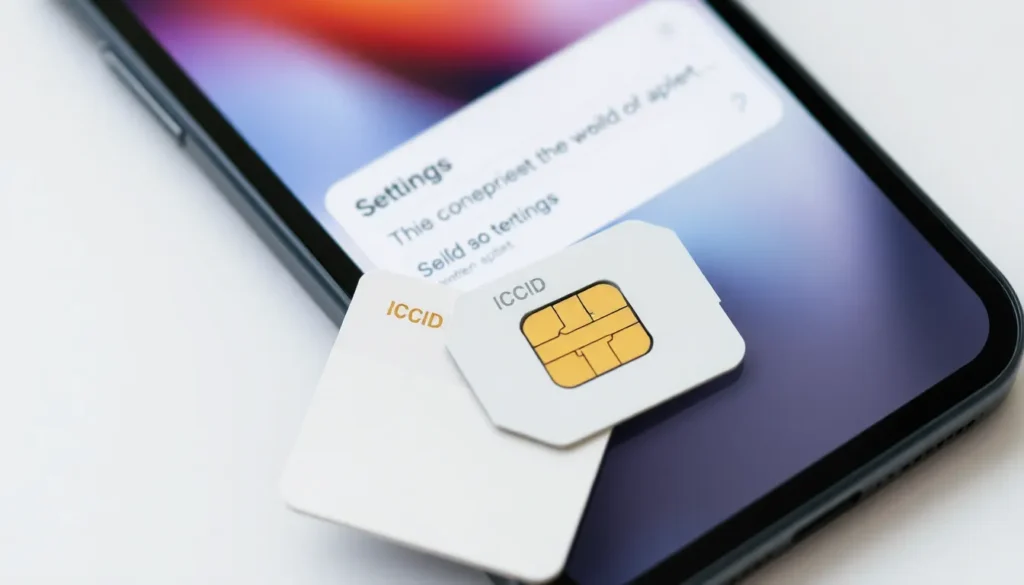
Finding the ICCID on an iPhone is straightforward. Users can discover this number through the Settings app or on the physical SIM card itself.
Using Settings App
To find the ICCID using the Settings app, users should first open the app. Next, they tap on “General” and then select “About.” The ICCID appears in the list, typically under the heading “ICCID.” It’s crucial to note that the ICCID can contain up to 19 digits and serves as a unique identifier for the SIM card. If the SIM card isn’t inserted, the ICCID may not show in the settings. This method provides a quick reference to the ICCID for carrier-related tasks.
Physical SIM Card
The ICCID can also be found on the physical SIM card. Users should inspect the card itself carefully, as the number is often printed directly on it. The ICCID can be located on the back or front of the SIM card, depending on the design. This physical reference ensures that users have the ICCID even if they encounter issues accessing the Settings app. Keeping the original SIM card packaging might also help if further verification is necessary. This method validates ICCID information when troubleshooting or activating services.
Importance of ICCID
Understanding the ICCID enhances the management of mobile services. This unique identifier directly links a SIM card to a specific user, facilitating seamless communication with mobile networks. Identifying the ICCID assists with activating new devices and transferring service plans effortlessly.
Every SIM card carries this crucial number, which can help in troubleshooting carrier-related issues. Locating the ICCID can also expedite the process of switching phones. Accuracy in identifying subscriber data hinges on the presence of the ICCID, making it essential for mobile carriers.
Awareness of where to find the ICCID proves beneficial in various situations. Users can quickly retrieve it through the iPhone’s Settings app or by inspecting the physical SIM card. Inspecting both the front and back of the SIM card provides another avenue for finding this information.
Storing the original SIM card packaging serves as an additional resource when verifying the ICCID. Having easy access to this identifier simplifies several processes, such as activating services or addressing network issues. The ICCID plays a significant role in maintaining an uninterrupted mobile experience.
Common Questions About ICCID
Many users wonder how the ICCID affects their iPhone. This identifier links a specific SIM card to a mobile network subscriber. Knowing the ICCID becomes crucial during tasks such as activating a new device or transferring service plans.
Users often ask where to find the ICCID if the SIM card isn’t inserted. In that case, the identifier may not show up in the Settings app. Referring to the original SIM card packaging provides an alternative solution.
Another frequent question pertains to the length of the ICCID. Typically, the number can contain up to 19 digits, each digit serving a role in uniquely identifying the SIM card. Users should double-check the printed information on both sides of the SIM card for clarity.
When switching phones, the ICCID simplifies the process. A user can easily provide this number to their carrier, facilitating seamless service transitions. Troubleshooting issues with carriers also becomes easier when the ICCID is readily available.
For those concerned about security, the ICCID is unique to each SIM card. This ensures that other users can’t access personal details linked to their numbers. Keeping this information secure remains vital for user privacy and data integrity.
Frequently, individuals want to know if the ICCID is different between carriers. The answer is yes; each carrier assigns a distinct ICCID to its SIM cards. Understanding this distinction helps users navigate service issues effectively.
Locating the ICCID on an iPhone is a straightforward process that can significantly enhance users’ management of their mobile services. By following the steps outlined in the article, anyone can easily find this essential number within the Settings app or directly on their SIM card.
Understanding the ICCID’s role in mobile communication ensures users can activate devices and transfer service plans with confidence. Whether troubleshooting or switching carriers, having access to the ICCID is crucial for a seamless mobile experience. With this knowledge, users can navigate their mobile needs more effectively and maintain uninterrupted connectivity.


