

In a world where privacy feels like a rare gem, the question of whether you can pause your iPhone’s location tracking is like asking if unicorns exist. Spoiler alert: they do, but they might not be as magical as you think. With every app begging for your whereabouts, it’s no wonder people are looking for a way to hit the brakes on their location sharing.
Imagine strolling through the park, sipping your coffee, and not having your phone spill your secrets to the world. Sounds ideal, right? Whether you’re trying to dodge nosy friends or just want a moment of peace, pausing your location can be a game-changer. So, let’s dive into the ins and outs of this techy dilemma and discover how to reclaim your privacy without turning your iPhone into a paperweight.
Understanding iPhone Location Services
Location services play a crucial role in how an iPhone operates. These services enable apps to access a user’s location, facilitating various functionalities.
What Are Location Services?
Location services refer to the system that allows apps and websites to use GPS, Bluetooth, and Wi-Fi to determine an iPhone’s location. Many applications require this feature to provide personalized content such as maps, weather forecasts, and local recommendations. Users can control which apps access their location, ensuring privacy and security while enjoying the benefits of location-based services.
How Location Services Work on iPhone
Location services function through a combination of technology. GPS satellites transmit signals to determine an iPhone’s precise location, while Wi-Fi networks and cellular towers provide additional data to enhance accuracy. The iPhone processes this information to give users real-time updates on their location, enabling features like routing directions and location sharing. Users can adjust settings to optimize privacy and control the level of location access granted to individual apps.
Can You Pause iPhone Location?
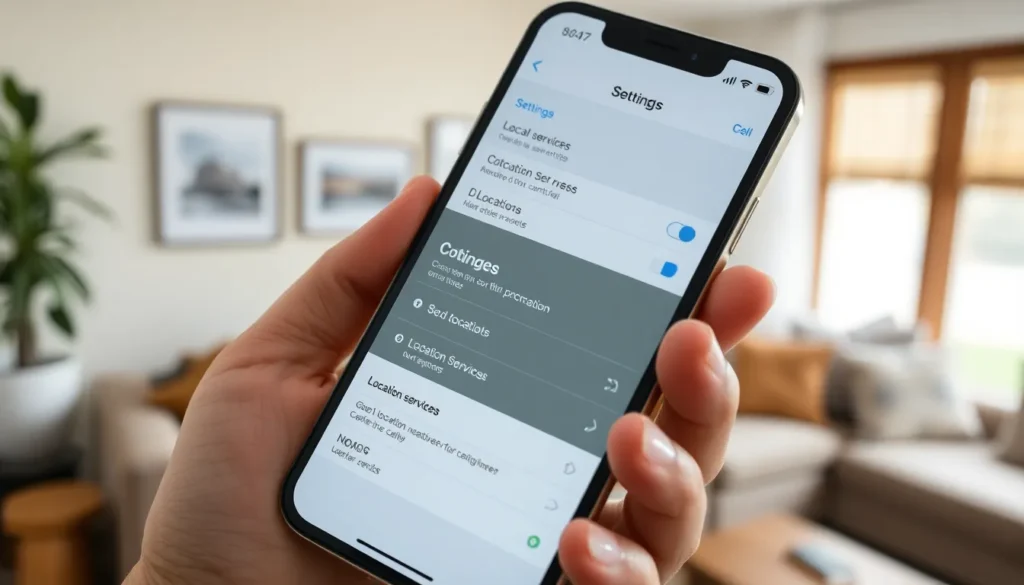
Managing iPhone location settings allows users to reclaim their privacy. It’s straightforward to temporarily pause location sharing without affecting device functionality.
Overview of Location Privacy Settings
Location privacy settings enable users to control app access, ensuring only necessary applications track locations. The Privacy menu in the Settings app reveals various options related to location services. Users can select Location Services to view a list of apps that utilize location data. Each app provides choices like Never, While Using the App, or Always. Adjusting these settings allows users to minimize unnecessary tracking. Additionally, users can toggle Share My Location on or off, depending on their preferences. Opting for these settings reinforces user control and enhances overall privacy.
Methods to Temporarily Disable Location
Temporarily disabling location can be achieved through several methods. An effective approach involves toggling off Location Services entirely in the Settings app. This action stops apps from accessing location data until re-enabled. Another option includes switching on Airplane Mode, which disables all wireless connections, including GPS. Users might also consider adjusting individual app settings to stop location tracking without turning off services entirely. For times when Google Maps or other apps are open, simply closing the app effectively pauses location sharing. These methods help users enjoy moments of privacy without compromising important iPhone functionalities.
Impact of Pausing Location on Features
Pausing location services on an iPhone has specific impacts on various features and applications. Understanding these effects helps users make informed decisions about their privacy.
Applications Affected by Location Services
Multiple applications rely on location services for functionality. Navigation apps like Google Maps and Apple Maps require GPS access for accurate directions. Weather apps use location data to provide localized forecasts. Social media platforms like Facebook and Instagram utilize location services to tag posts or to enable check-ins. Games that incorporate augmented reality also depend on real-time location access for an immersive experience. Users can expect a reduced experience in these applications when location services are paused.
User Experience and Device Functionality
User experience changes when location services are paused. Without location access, some features may become less responsive or unavailable. Device convenience declines for apps sending alerts or notifications based on a user’s current location. Streaming services may not provide relevant content based on local suggestions. Battery consumption may decrease slightly, as location services can be power-intensive. Hence, the balance between privacy and functionality must be carefully considered when deciding to pause location sharing.
Alternatives to Pausing Location
Users can explore various methods to protect their privacy while using an iPhone. These strategies allow for careful management of location settings without significant negative impacts on device functionality.
Turning Off Location for Specific Apps
Adjusting location settings for individual apps offers enhanced control. Users can navigate to Settings, then Privacy, and select Location Services. Here, it’s possible to turn off location sharing for specific applications. For instance, social media apps may not require constant access to location data. After disabling access, users can maintain functionality with minimal intrusion into their privacy. This targeted control ensures apps only access location data when necessary, allowing users to regain a sense of security while enjoying their devices.
Using Airplane Mode
Activating Airplane Mode provides a quick solution to pause location tracking. Users can swipe down to access the Control Center and tap the Airplane Mode icon. This action disables all wireless communications, including Wi-Fi and cellular networks. While in this mode, location services can’t communicate with GPS satellites or network towers, effectively pausing tracking. Users remain offline, enjoying uninterrupted privacy. However, important functions, like calls and text messaging, will cease until the mode is deactivated, requiring users to balance privacy with connectivity needs.
Pausing location sharing on an iPhone offers a practical solution for those seeking privacy in a connected world. Users can easily adjust their settings to limit tracking without losing essential functionalities. By selectively managing app access or utilizing Airplane Mode, individuals can strike a balance between privacy and convenience.
It’s vital to understand the implications of pausing location services, as some applications may not function optimally without access to location data. However, with the right adjustments, users can enjoy their moments of privacy while still benefiting from their device’s capabilities. Ultimately, taking control of location settings empowers users to navigate their digital lives with confidence and security.


